Test Your AI Agents
Before They Go Live
Create personas and scenarios, run live AI-to-AI calls against your use cases, and get automated pass/fail reports with transcripts and improvement suggestions.
Everything you need to ship confident agents
From persona setup to automated scoring, OutEvalAI gives your team a complete evaluation workflow.
Persona Engine
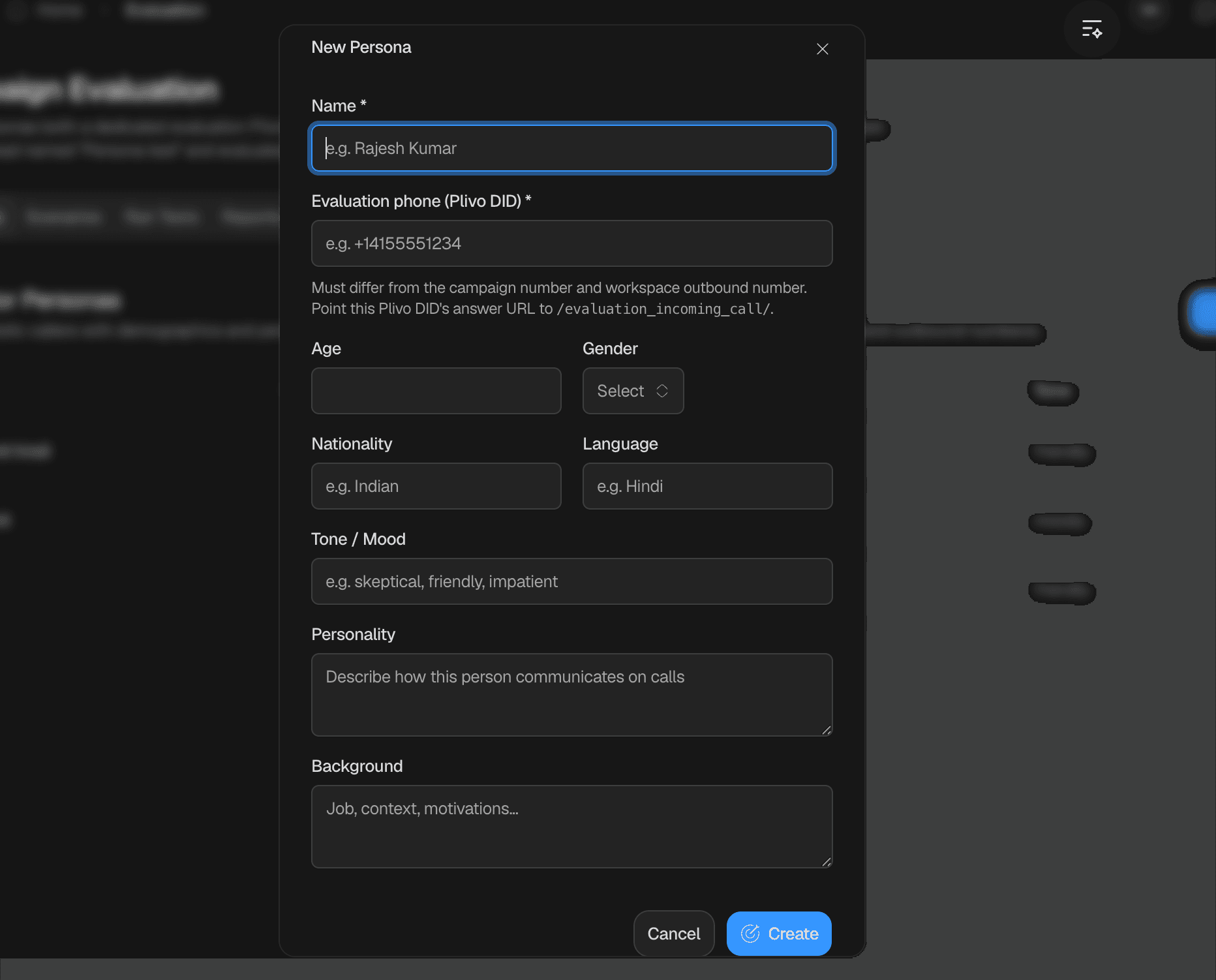
Define simulated callers with demographics, tone, personality, and background for realistic AI-to-AI test calls.
Scenario Builder
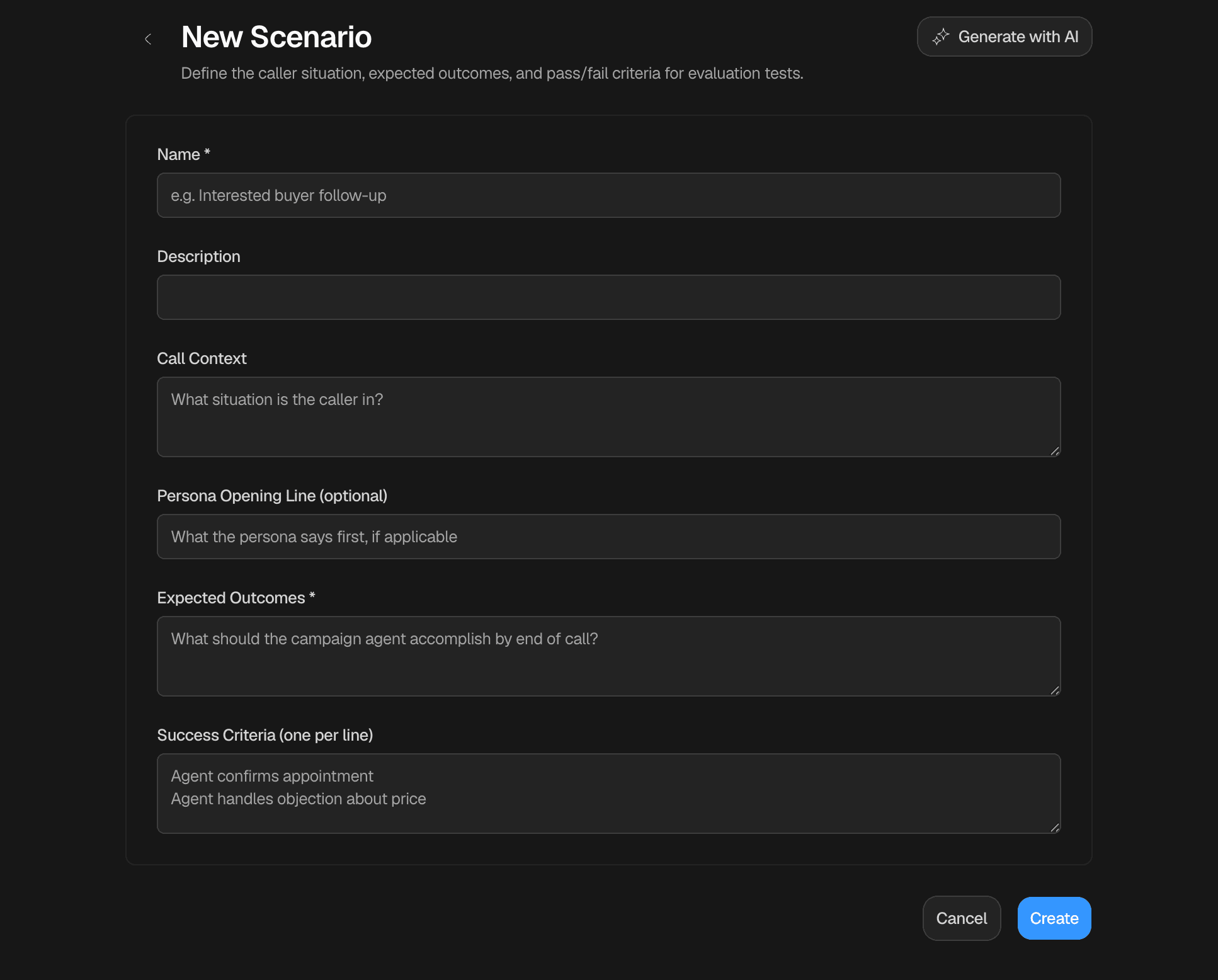
Describe call situations, opening lines, and expected outcomes. Use the AI assistant to draft scenarios or build them manually.
Smart Reports
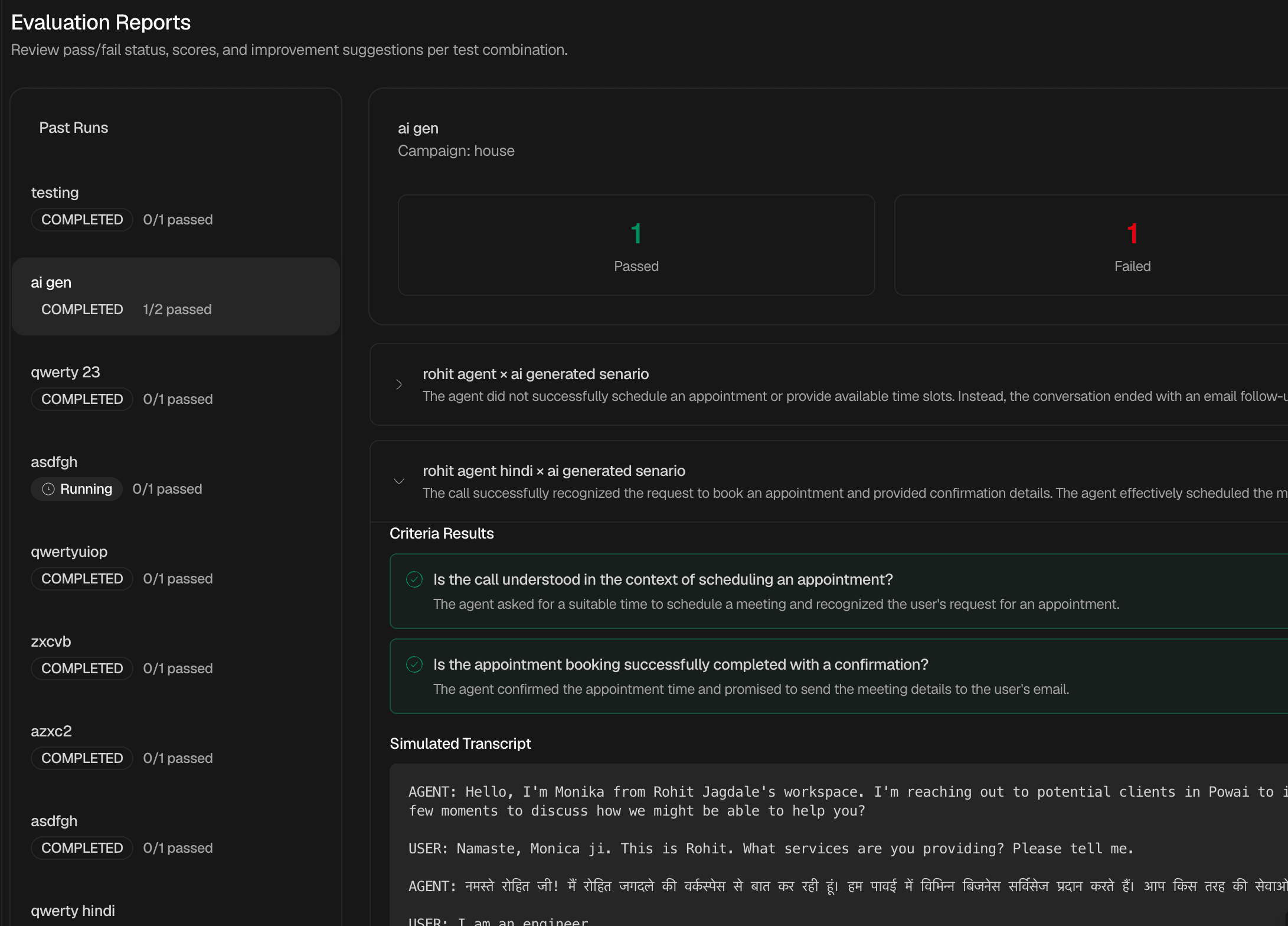
See pass/fail status, scores, transcripts, and improvement suggestions for every persona × scenario combination.
Live Testing
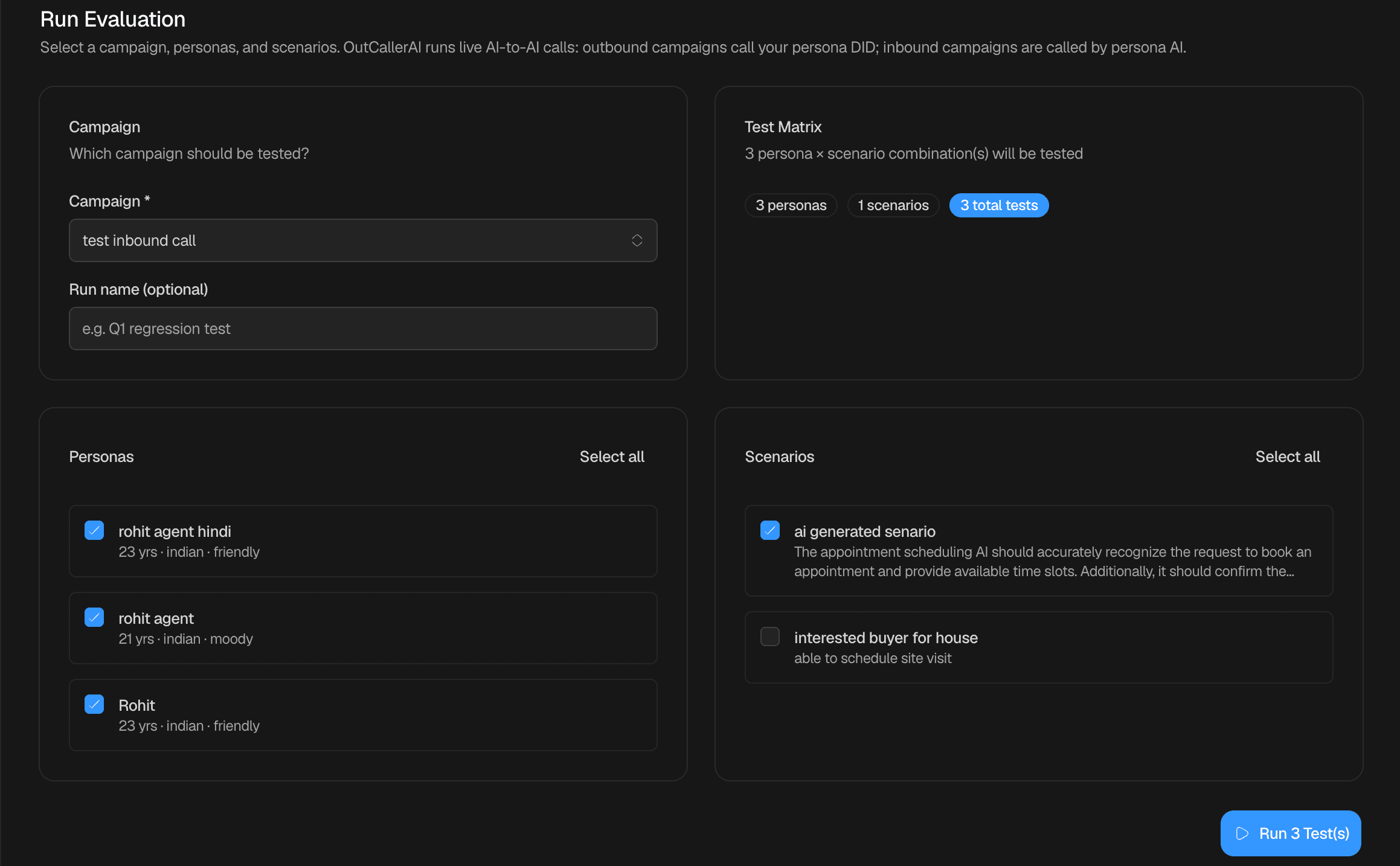
Pick a usecase, select personas and scenarios, and launch a test run. Each combination places a real outbound call.
Multi-Usecase
Evaluate multiple AI agents across different usecases in your workspace simultaneously with parallel test runs.
Four steps to validate your use cases
From persona setup to automated scoring, everything you need to ship confident usecase agents.
How the automated evaluation loop works end to end.
- A persona AI places an outbound call to your usecase's inbound number.
- Your usecase agent handles the conversation using its configured prompt and tools.
- The call is recorded and transcribed in real time.
- An evaluator AI reads the transcript and scores it against the run's success criteria.
- Results appear in the Reports tab with pass/fail status and improvement notes.
Create Personas
Define simulated callers with demographics, tone, personality, and background. Each persona gets a dedicated evaluation phone number for live AI-to-AI test calls.
Define Scenarios
Describe call situations, opening lines, and expected outcomes. Use the AI assistant to draft scenarios or build them manually.
Run Live Tests
Pick a usecase, set success criteria, select personas and scenarios, and launch a test run. Each combination places a real outbound call from the persona to your usecase agent.
Review Reports
See pass/fail status, scores, transcripts, and improvement suggestions for every persona × scenario combination in your run.